
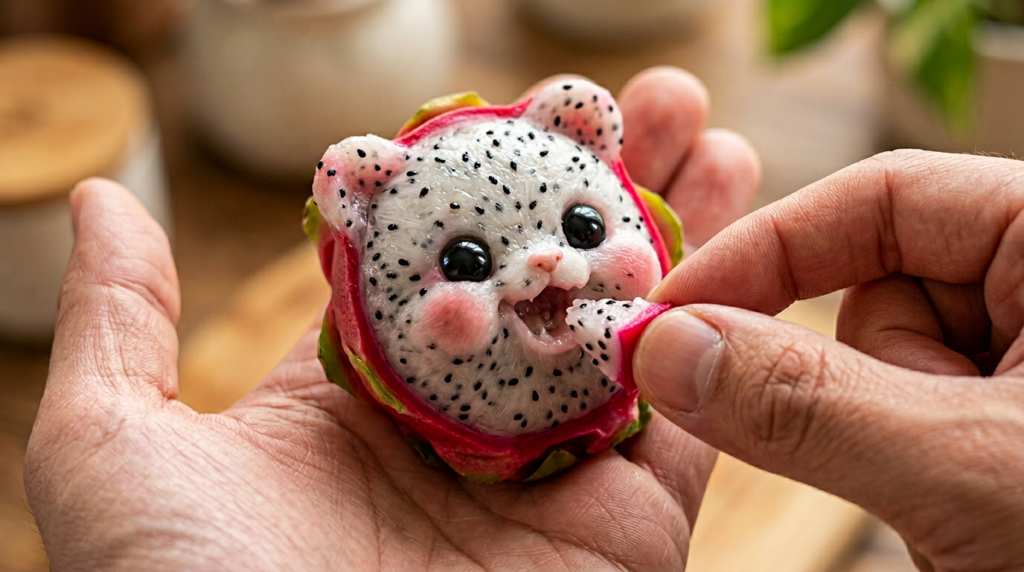
Hey are you looking to Create Unlimited Fruit AI Videos? then this is the right place to find out the best method to generate Viral Fruit AI Videos.
Nowadays AI tools are becoming very popular and people are using them to create amazing videos which goes viral on Instagram. One trending type is fruit AI videos, where fruits look like babies, talking characters, or doing funny actions. These videos are going viral on Instagram, YouTube Shorts and TikTok.
In this article, I will tell you, how you can easily create unlimited fruit AI videos step by step.
Tools You Will Need
To create fruit AI videos, you need some simple AI tools:
- ChatGPT (Prompt Generator)
- Google Whisk AI (Image Generator)
- Googlr Flow AI (Video Generator)
Step 1: Generate Prompt for Image & Video Creation.
First, you need to generate prompt which will make image & video easily.
After a research and multiple long prompts, I have already generate image and video prompts for you. You have to copy this image prompt and paste in any image generation tool then your image will we generator successfully. Same method you have to apply for video prompts.
Step 2: Generate Image using Google Whisk Ai
First, open Google Whisk and login with your account.
Now copy and paste this prompts:
Create an ultra-realistic macro shot of FOOD = "FoodName" featuring a tiny stylized kawaii face subtly sculpted from the FOOD's own texture-no human-baby realism. The cheeks, nose, and mouth should appear naturally formed from the FOOD with its pores and bumps flowing across the features, a smoothly carved mouth, and glossy doll-like eyes.
The FOOD must rest gently in a human palm, while another hand feeds the embedded face a small piece of FOOD at its mouth. Use a mogucheeks-inspired food-creature aesthetic with hyperreal macro texture, rounded cute features, warm soft lighting, and shallow depth of field (f/1.2-1.4) producing creamy bokeh. Capture tiny excited expressions with glossy innocent eyes. Shot on an 85mm macro lens at f/1.4 with ultra-sharp focus on the sculpted face and a blurred background.
Paste this prompt on website mentioned – Google Whisk AI
You have to copy this prompt and paste in Google Whisk Ai and Replace and Name of Food with “FoodName”. Then you can easily generate multiple fruits and food baby images. Now you have to generate video from these images.
Step 3: Create Video Using Google Flow
Now open Google Flow and upload your selected images and paste this prompt here.
Animate only gentle, tiny movements: the FOOD-embedded baby-face blinks softly, its stylized mouth slowly opens in anticipation as a hand brings a small piece of FOOD toward it. The FOOD creature leans forward slightly to reach the bite, takes a small nibble with a soft mouth motion, and shows subtle cheek squish followed by delicate chewing. Add faint happy micro-expressions and minimal slow breathing, keeping all motions smooth, cute, and delicately understated.Paste this prompt on website mentioned – Google Flow Ai
After this prompt your video will be ready. Now you have to upload it on social media and wait to get viral it.
Conclusion
Creating fruit AI videos using Google Whisk and Google Flow is very easy. You just need to generate images and convert them into video.
With some practice, you can create viral videos and grow your page. Just keep experimenting and improving your content.